02 / 04 · Business automation
Automate the work your team repeats every day.
Re-typing data, chasing approvals, sorting receipts, rebuilding the same report: we map how work actually moves through your business, then automate the steps that do not need a person.
Start with the document.
A receipt, invoice or request enters a defined workflow. The source remains available for review.
01
The work we automate
01
Documents and data entry
Receipts, invoices and forms read with text recognition (OCR). The fields people used to type by hand are filled in, then checked against your rules.
02
Requests and intake
Requests arriving by email or form are routed to the right person with the information they need, instead of sitting in a shared inbox.
03
Approvals and validation
Approval steps, validation rules and exceptions in one flow, so errors are caught before they reach a client or the books.
04
Reporting and tracking
Statuses, exports and dashboards generated from the data your team already enters, instead of reports rebuilt by hand.
Not sure what to automate first? A business assessment finds the root cause first
02
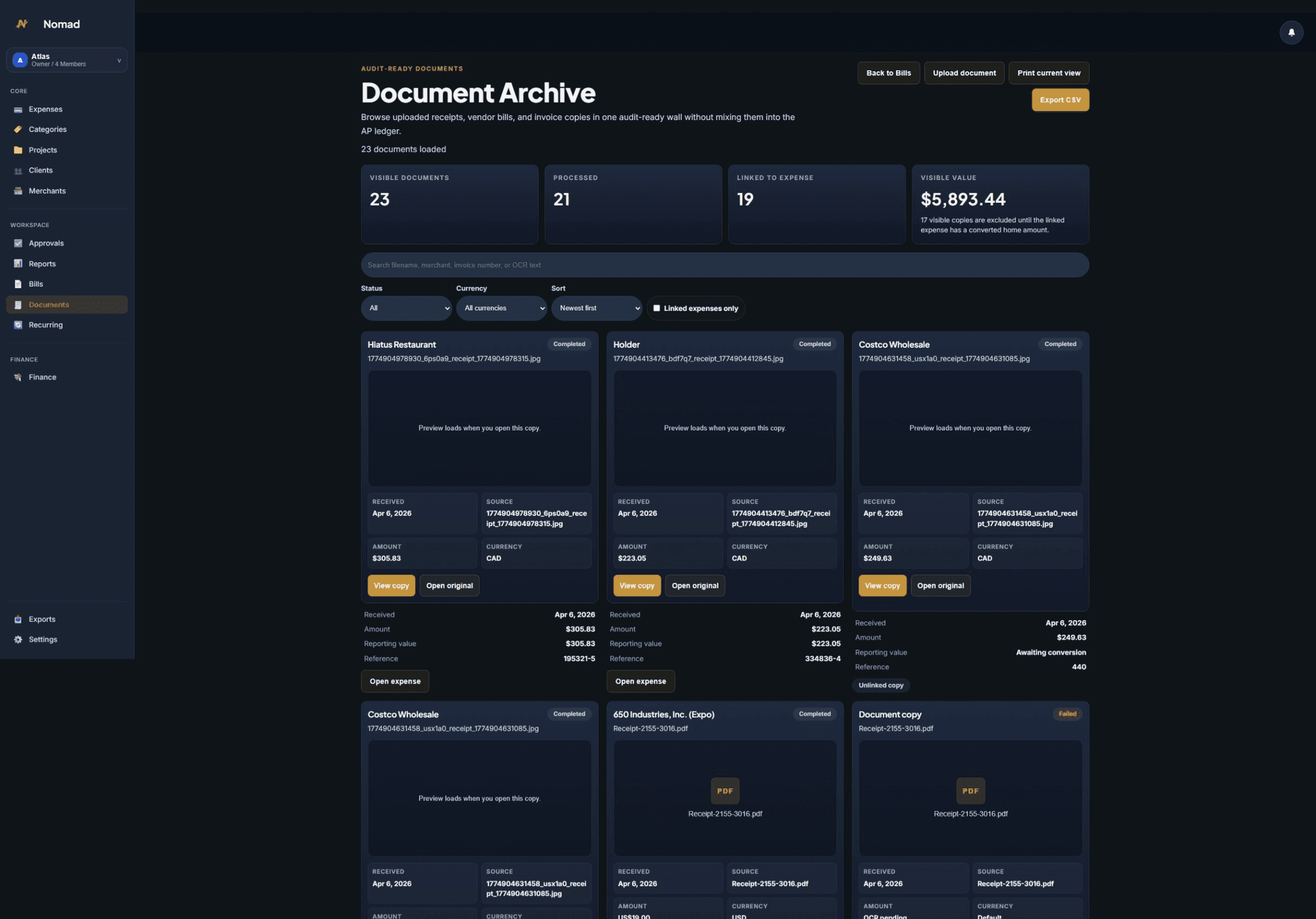
An example from our own product.
Nomad Finance, an Artek Nexus product, automates expense capture: bulk OCR for receipts and invoices, and expenses created from emails a user selects, without access to their whole inbox. Client projects are scoped to your own workflow.
03
What your quote covers
Every project receives a written quote. Here is what it usually includes, what is priced separately and what we will need from you.
Included
- A map of the current workflow
- The agreed automated steps and validation rules
- Handling for the exceptions identified during scoping
- Testing with real examples
- Rollout support
Priced separately
- Replacing an existing system outright
- Connections judged not worth building during scoping
- New workflows added after launch
From you
- Real examples of the documents and requests
- Someone who knows how the work is done today
- Access to the tools involved
After launch: Hosting, monitoring, recurring costs and ownership of the deliverables are set out in writing in your quote before any payment.
04
From first conversation to launch
- 01
Show us the work
Walk us through the task as it happens today: who does it, which documents and tools are involved, how often, and where it gets stuck.
- 02
Map and scope
We map the workflow, separate what can be automated from what needs a person, and confirm the scope, quote and stages before building.
- 03
Build, test and roll out
We test with real examples, handle the exceptions identified during scoping and support the rollout with your team.
05
Questions before you start
What kind of work is a good fit?
Tasks that follow the same steps every time, involve copying information between tools or documents, and come up often enough to cost real hours. Work that needs judgment stays with your team: automation prepares it and flags the exceptions.
Do we have to replace our current tools?
Not necessarily. We start from the tools you already use and confirm during scoping which ones can be connected, and how. If a connection is not possible or not worth it, we tell you before quoting.
What about our data?
Access is limited to what the workflow needs. Nomad, our own product, for example only processes the emails a user selects rather than scanning a whole inbox. Data handling, access and hosting are set out in the quote.
How much does automation cost?
Each project is quoted after scoping. Cost depends on the number of steps, the documents and tools involved, the exceptions to handle and the volume. A small, well-defined workflow makes a good first project.
Tell us about your project.
Your business, users and the problem to solve: a few sentences are enough to start. Sending an inquiry does not require payment.
Contact Artek Nexus